Public beta, version 1.0.0
The Mac cleaner that shows its work.
Reclaim finds the uv caches, model weights, and DerivedData other cleaners miss. Everything goes to the Trash, restorable.
macOS 13 Ventura or later (Apple Silicon) · Ad-hoc signed beta (see first launch steps)
Version 1.0.0 (build 1)
New in this beta.
Updated October 23, 2026.
A 3D city you can turn
Drag Storage City to rotate it. Double-click or press Reset to snap the view back.
Meet the crew
Click Agents on Pulse to inspect the robots working each district of your disk.
Two cities to choose from
Pick the Neo-Tokyo Cyber-Port or the Modular Freight Terminal in Settings.
Light, dark, or system
The putty instrument panel now has a matching charcoal mode.
Pick what gets scanned
Switch off any of nine target groups, like Docker images or browser caches, in Settings.
Keep folders out
Excluded folders are skipped by scans, sweeps, and the orphan list.
Every sweep is logged
Sweeps from the app, the CLI, MCP clients, and Uninstall all write to the audit log.
Verify the audit chain
Settings, Safety & Audit re-checks every hash and lists your recent sweeps.
Built for disks full of dev tools.
Package caches, model weights, build artifacts, and VM images. Each find is tagged by how safe it is to remove.
- uv
~/.cache/uv - HuggingFace
~/.cache/huggingface/hub - Xcode
~/Library/Developer/Xcode/DerivedData - Docker VM
Docker.raw - npm
~/.npm - Bun
~/.bun/install/cache - LM Studio
~/.cache/lm-studio/models - pip
~/.cache/pip - Simulator
~/Library/Developer/CoreSimulator/Caches - Whisper
~/.cache/whisper - pnpm
~/.pnpm-store - Homebrew
~/Library/Caches/Homebrew - vLLM
~/.cache/vllm - Stray node_modules
~/node_modules
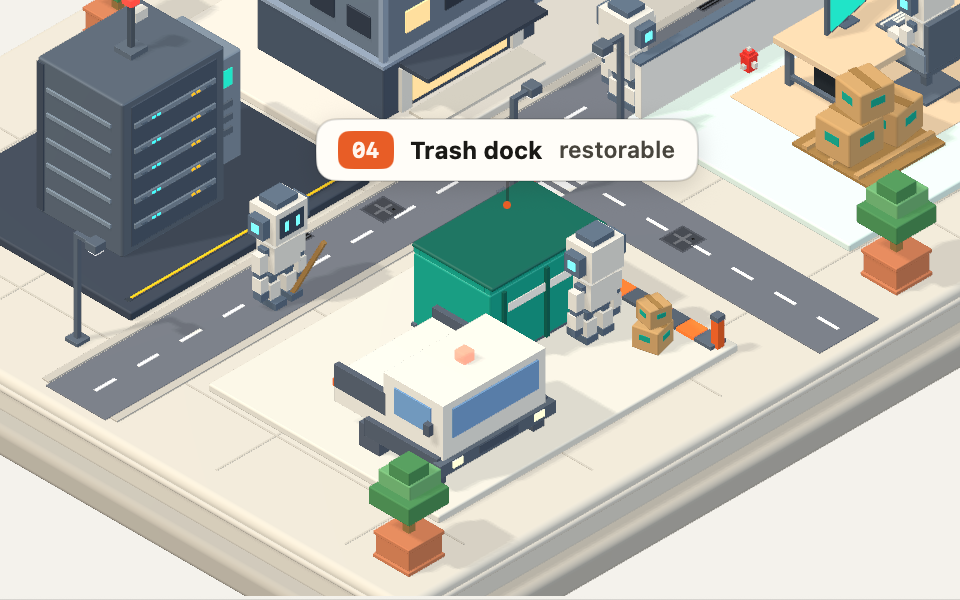
Your disk, drawn as a city.
Districts are categories. A bot crew runs the sweep. You see what moves, where it goes, and how much comes back.
- Safe to sweep
- Rebuilds on its own: package caches, DerivedData, logs.
- Ask me first
- Costly to re-download, like model weights or Docker.raw.
- Hands off
- System files, documents, repos, and keys. Never staged.
Swept files land in the Trash.
Sweeps are reversible, logged on your disk, and limited to what you approved.
Restorable with Put Back.
Reclaim moves files with the macOS Trash, so Finder can return any of them to where they were.
- 2.41 GB
uv & Python wheels
~/.cache/uv
- 6.83 GB
Xcode DerivedData
~/Library/Developer/Xcode/DerivedData
- 812 MB
npm cache
~/.npm
Scans are read-only.
Looking costs nothing. A scan never moves or changes a file you own.
Every sweep is logged.
Each entry is chained to the last with SHA-256. Verify the whole chain from Settings.
~/.reclaim/audit.jsonl
{"operationType":"trash",
 "itemsCount":3,
 "bytesReclaimed":10052317184,
 "previousHash":"9f2c41…",
 "rollingHash":"4be1d7…"}
Dry run by default.
On the command line, clean simulates until you say otherwise.
$ reclaim clean --dry-runSome folders are off limits.
A sandbox check rejects any path inside these, even from a custom rule.
- ~/Documents
- ~/Desktop
- ~/.ssh
- ~/Library/Keychains
- /System
- /usr
Five modules and a menu bar companion.
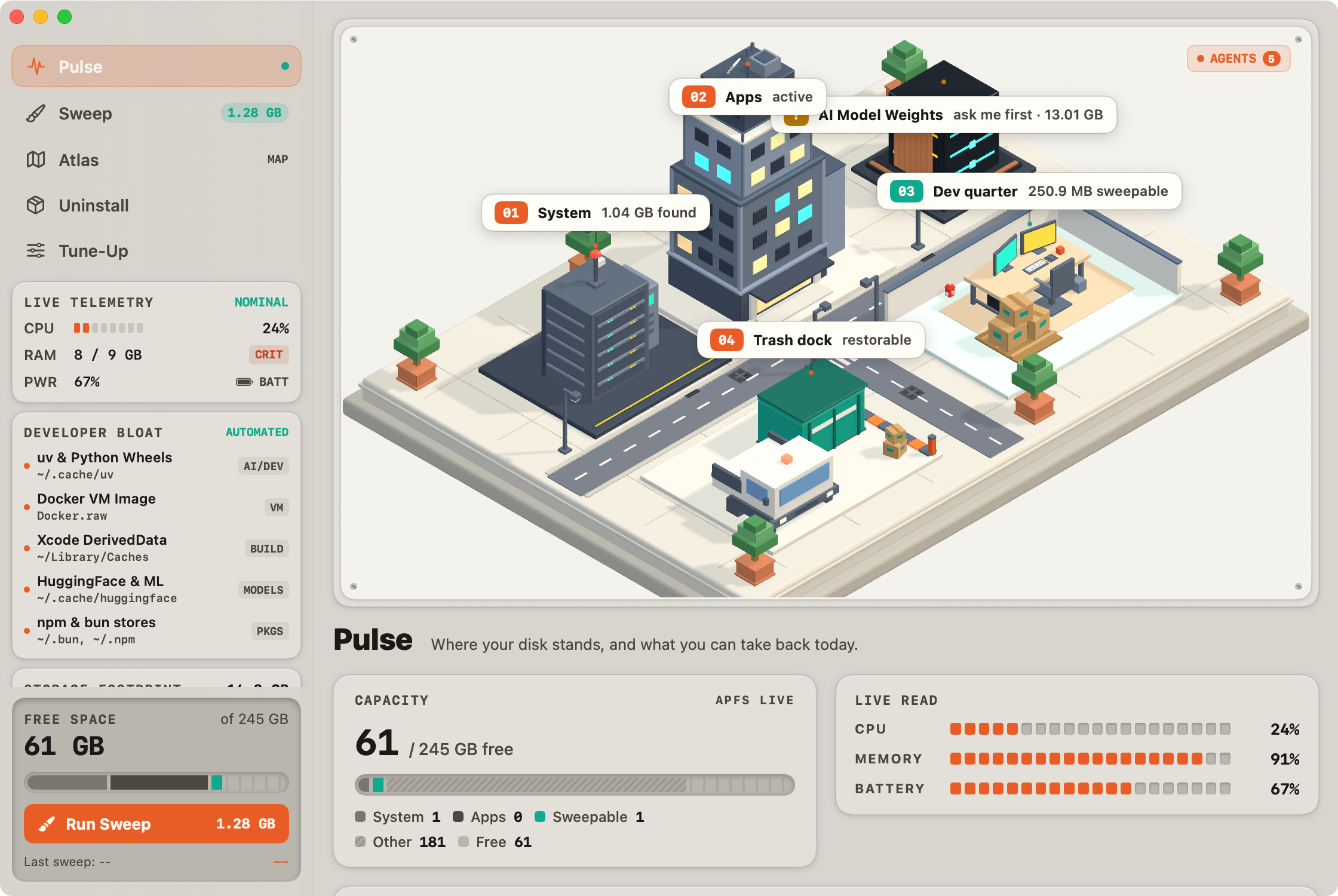
Pulse
Where your disk stands, and what you can take back today.
- A 3D Storage City you can rotate, sized from your real scan
- Click Agents to inspect the robot crew
- Capacity, live vitals, and one Run sweep button
Script it, or hand it to your agent.
The reclaim CLI ships inside the app bundle. JSON on stdout, a dry run by default, and an MCP server for Claude, Cursor, or any MCP client.
- scan_storage
- clean_storage
- inspect_directory
- list_apps
- uninstall_app
- get_system_vitals
- list_rules
- register_rule
- inspect_anomalies
$ reclaim scan --json # machine-readable results on stdout$ reclaim clean --dry-run # see exactly what would move$ reclaim spacelens --path ~/Library # Atlas, in the terminal$ reclaim vitals # CPU, RAM, disk, battery
Questions, answered.
Scans only read. Sweeps move files to the macOS Trash, where Put Back restores them. A sandbox check refuses system paths, your documents, SSH keys, and the Keychain, and every sweep is written to an audit log at ~/.reclaim/audit.jsonl.

Take back your disk.
Version 1.0.0 (build 1). Needs macOS 13 Ventura or later (Apple Silicon).
Download beta